
Silly Smile Wallpaper & Sound
Daily Tool LabsPersonalization
4.7135.00 Reviews
- Version
- 1.7.49
- Installs
- 5.00M
- Age Rating
- Everyone
Screenshots
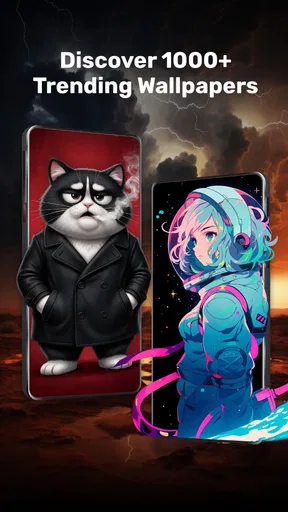
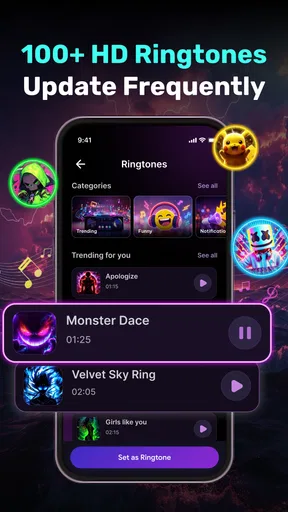
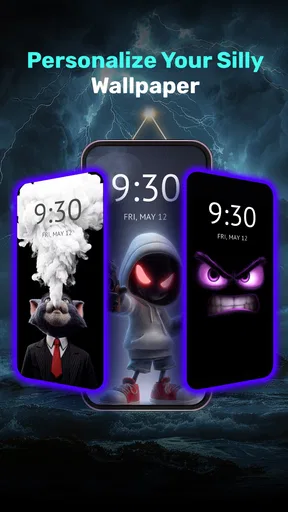
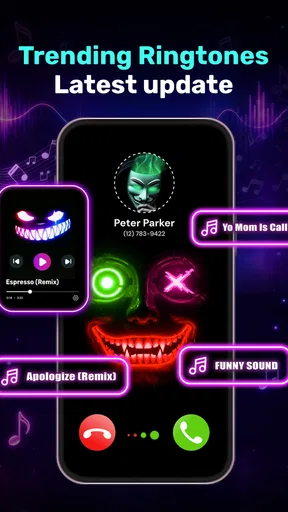
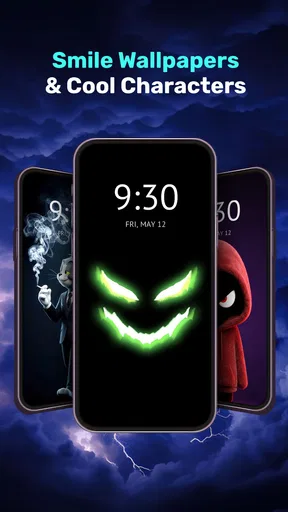
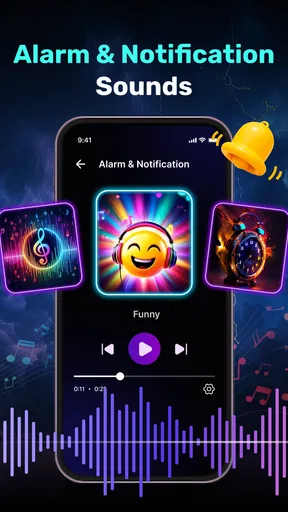
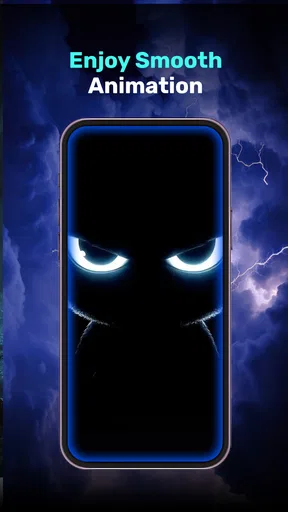
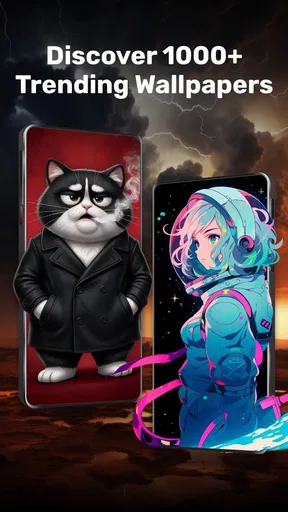
Our Review of Silly Smile Wallpaper & Sound
 Analysis by Appyee
I like a phone wallpaper that adds a little personality without demanding attention, and a moving smiley design can be a cheerful change from the usual still photo. Silly Smile Fun Live Wallpaper is a personalization app from Daily Tool Labs built around that simple idea. It is best approached as a playful visual choice for a screen you see throughout the day, rather than as a tool that changes how the phone works. If your household shares a device, that small distinction matters: the wallpaper is visible to everyone who picks it up, so it is worth choosing something the regular users will actually enjoy.
A small shared-device scenario
Picture a family tablet left on a kitchen counter, or a phone passed between siblings to show a photo. A lively background can make the shared device feel less plain, and the smiley theme is easy to understand at a glance. But a wallpaper is also a personal choice: one person may find animated faces fun while another would rather see a family photo or a calm color. I would treat the setup as a quick household decision instead of assuming the most enthusiastic user should choose for everyone.
That is especially useful when a device moves between work and home. A bright, animated screen may suit a relaxed personal phone, but feel out of place when you unlock it during a meeting or hand it to someone else. Before setting it, I would check how the design looks in the situations where the device is actually used. A wallpaper can be cheerful without being the right fit for every screen or every person.
Getting to Know the App
So, what’s the deal with Silly Smile Fun Live Wallpaper? It's pretty simple, really. This app transforms your regular wallpaper into a delightful display of animated, smiling faces. Each smiley seems to have its own little personality, bouncing around and interacting in the most entertaining ways. Whether you’re having a good day or need a little pick-me-up, these friendly faces are sure to make you grin.
Setting expectations before you customize
The app’s appeal is visual, so I would decide first whether I want the effect to be a gentle accent or the main event on the screen. When other people rely on the same device, agree on a look that stays readable behind icons and doesn’t distract during routine tasks. This is a practical way to make a shared phone feel playful without turning every unlock into visual clutter. If the screen is already busy with widgets and app icons, a simpler wallpaper may be the more comfortable choice.
It also helps to think about which screen gets the change. A home screen is seen often, while a lock screen may be glanced at by people nearby. If you use the device in public or for work, consider whether you want the animated design visible there. The right choice depends less on how lively the wallpaper can be and more on when and where you want that liveliness to appear.
Features That Make You Smile
One of the coolest things about this app is the sheer variety it offers. You can choose from an array of smiley styles and animations. Want something classic? Go for the standard yellow emoji look. Feeling adventurous? Try out the funky neon or seasonal themes. The app also lets you customize the speed and density of the smileys, so you can fine-tune the level of chaos on your screen.
Those controls are worth approaching as a balance rather than a race toward maximum motion. On a screen filled with icons, fewer moving elements or a calmer pace can keep the wallpaper from competing with the things you need to tap. I would try one adjustment at a time, look at the screen with its usual icons in place, and keep the setting that feels pleasant after several unlocks—not just the one that looks most striking in a quick preview. That small test is more useful than judging the animation on an otherwise empty screen.
Compared with a still photo or a plain color background, a live wallpaper offers movement and a more playful mood, but it also adds activity to a screen you may check dozens of times. Compared with choosing a different static image whenever you get bored, the appeal here is that the visual effect is animated. The trade-off is straightforward: if you prefer a quiet, uncluttered display, a photo or simple background is likely a better match; if you want a little motion whenever you wake the phone, the smiley approach has a clearer purpose.
Performance and User Experience
Installing and using the app was smooth sailing. It didn’t slow down my phone, which, if you’re like me and have a million things running at once, is a huge plus. The animations are fluid, and the smileys move around without any lag. Plus, it’s lightweight, so it doesn’t eat up your battery life like some other live wallpapers out there.
My practical advice is to judge performance during ordinary use rather than from a brief look at the wallpaper. Unlock the screen, open the apps you normally use, and see whether the moving background still feels comfortable. If you notice that it distracts you, reducing the visual intensity or switching back to a still image is a sensible response. A live wallpaper is decoration, so it should not make everyday reading, navigation, or quick checks feel harder.
I did notice that the app performs best on up-to-date devices. If you’re rocking an older phone, you might not get the full effect, but it’s still worth a shot.
Who will enjoy it, and who may prefer something else
I would recommend it to someone who likes expressive emoji-style art, wants a lighthearted home screen, and is happy to spend a moment choosing a look that suits their device. It may also work well for a shared household tablet when the people who use it agree on a cheerful theme. On the other hand, anyone who values a calm screen, uses a phone for focused work, or wants a carefully composed personal photo as the main background may be happier with a static wallpaper.
For a child’s device, the playful appearance may be appealing, but I would still let an adult make the setup choice and check that the screen remains suitable for the device’s everyday role. The app has an Everyone age rating, which makes its general audience clear, but that does not replace a family’s own decision about what a shared screen should display. A younger user may enjoy the animation; an older sibling or parent may prefer a quieter background. A brief conversation avoids turning a small personalization choice into a recurring annoyance.
Age, trust, and household coordination
The app is free to download, with optional in-app purchases priced from $0.99 to $2.99 per item. I would start with the free experience and decide whether the available look already does what you want before spending anything. That is particularly sensible on a shared device, where one person’s interest in extra customization may not be shared by everyone who uses it. Keep purchases within the household’s normal approval process rather than treating a wallpaper choice as an automatic reason to buy add-ons.
There is no need to make account coordination part of the wallpaper decision unless your household already has rules for shared devices and purchases. Agree on who can change the background and who approves optional spending, then leave the setting alone until someone has a good reason to revisit it. This keeps the screen consistent for regular users and avoids surprise changes. I would also check the displayed home screen after setup, since the visual result matters more when icons and shortcuts are present than when you are choosing a theme in isolation.
Its broad age rating makes the app an easy candidate for a household conversation, not a guarantee that every person will like its look. A teenager might enjoy a more energetic screen, while someone using the same device for appointments or reading may want less movement. The useful question is not simply whether the wallpaper is age-appropriate; it is whether the chosen style works for the people who depend on that screen and the places where they use it.
Final Thoughts
In a world where everything seems to be getting more serious, Silly Smile Fun Live Wallpaper is a breath of fresh air. It’s not just a wallpaper; it’s a reminder to smile and enjoy the little things. The app is free to download, with optional in-app purchases if you want to unlock more features. So, why not give it a try? Your home screen—and your mood—will thank you.
For a catalog-level snapshot, the app has a 4.4 average from around 11,000 ratings and has passed one million installs. It was released on March 26, 2025, and version 1.2.26 lists Android 7.0 as its minimum operating system. Those details make it relevant to a broad range of Android users, though the actual feel of a live background is still best judged on the device you plan to use. Daily Tool Labs has kept the concept focused on visual personalization, which is exactly why it makes sense to try it only if animated smileys suit your taste.
For a real everyday test, I would set it up before a normal day, not just admire it while choosing a design. Check whether the animation remains pleasant when you unlock the phone to read a message, check a calendar, or hand the device to someone at home. If you find yourself noticing it only in a good way, it is doing its job. If it keeps pulling your attention away from the screen’s useful content, that is a sign to choose a quieter background instead.
Ready to bring some joy to your device? Head over to the app store and download Silly Smile Fun Live Wallpaper now. You’ll be smiling in no time!
Privacy and Permissions
See what permissions an app requests and how it handles your data.
- Contacts
- read your contacts, modify your contacts
- Photos/Media/Files
- read the contents of your USB storage, modify or delete the contents of your USB storage
- Storage
- read the contents of your USB storage, modify or delete the contents of your USB storage
- Other
- view network connections, full network access, run at startup, set wallpaper, draw over other apps, control vibration, prevent device from sleeping, modify system settings, Google Play license check
Verdict
Strengths of Silly Smile Wallpaper & Sound
- Vibrant and eye-catching animations.
- Customizable settings for personalization.
- Low battery consumption.
- Smooth performance on most devices.
- Frequent updates with new features.
Limitations of Silly Smile Wallpaper & Sound
- Ads can be intrusive.
- Limited free features.
- May slow down older devices.
- Requires internet for full functionality.
- Lacks advanced customization options.
Other Releases by Daily Tool Labs
View All
All Translate: Photo, PDF, DOC
Productivity4.4
Similar Picks in This Category
View All
Microsoft SwiftKey AI Keyboard
SwiftKey4.3

Wallpapers
Google LLC4.1

Zedge™ Wallpapers & Ringtones
Zedge4.7

Yandex Browser with Alice AI
Direct Cursus Computer Systems Trading LLC4.3

Ringtone Maker:create ringtone
Big Bang Inc.4.7

Fonts Keyboard
Fonts Keyboard3.9
Frequently Asked Questions
What is Silly Smile Fun Live Wallpaper?
Silly Smile Fun Live Wallpaper is a dynamic and interactive wallpaper app for Android and iOS devices. It features a collection of vibrant and animated smiley faces that bring your screen to life. Users can customize the wallpaper with different themes and enjoy a playful, uplifting experience every time they unlock their device.
How do I customize the wallpapers in Silly Smile Fun Live Wallpaper?
Customizing the wallpapers in Silly Smile Fun Live Wallpaper is simple. After installing the app, navigate to the settings menu where you can choose from various smiley themes, adjust the animation speed, and set the frequency of updates. This allows users to personalize their experience according to their preferences.
Does Silly Smile Fun Live Wallpaper affect my device’s battery life?
Live wallpapers, including Silly Smile Fun Live Wallpaper, can impact battery life as they are constantly running in the background. However, the app is optimized to minimize battery usage. Users can further manage battery consumption by adjusting animation settings or selecting non-animated options if available.
Is Silly Smile Fun Live Wallpaper free to use?
Silly Smile Fun Live Wallpaper offers a free version with basic features and a selection of smiley themes. For additional themes and customization options, users can opt for in-app purchases. This allows users to decide if they want to enhance their experience with premium content.
Can I use Silly Smile Fun Live Wallpaper on both Android and iOS devices?
Yes, Silly Smile Fun Live Wallpaper is compatible with both Android and iOS devices. The app is available for download on the Google Play Store and the Apple App Store, ensuring a wide range of users can enjoy its features. The user interface is designed to be intuitive across both platforms.
